

How to Buy Used Electronics Safely Online: Essential Tips & Tricks
So, you’re looking to snag a sweet deal on a used gadget online, right? That’s smart – it can save you a bundle. But let’s be real, the internet is also a wild west for scams and faulty gear. The good news is, with a bit of savvy, you can navigate it safely and score a fantastic device without getting burned. It’s all about doing your homework, asking the right questions, and knowing what red flags to watch out for.
Finding the Right Marketplace
Where you shop makes a huge difference in your safety and success. Not all platforms are created equal, and some offer more buyer protection or a better vetting process for sellers.
Reputable Platforms with Buyer Protection
For anything moderately expensive or complex, stick to sites that prioritize buyer safety. Think eBay, Amazon Renewed, or even dedicated refurbished retailers. These platforms usually have dispute resolution services, money-back guarantees, and sometimes even a limited warranty.
eBay, for example, has its Money Back Guarantee. If an item isn’t as described or doesn’t arrive, they’ll generally step in to help you get your money back. This is a huge safety net, especially when you can’t physically inspect the item beforehand. Look for sellers with high ratings and a long history of positive feedback.
Amazon Renewed offers a 90-day guarantee on refurbished products. This isn’t technically “used” in the raw sense, but it’s a great option if you want something that’s been professionally inspected and restored, often with new accessories. It bridges the gap between new and purely used.
Back Market is another excellent contender for refurbished electronics. They work with certified refurbishers and offer warranties on their products, making it a much safer bet than a direct person-to-person sale. Their focus is solely on refurbished tech, so you know you’re dealing with experts.
Local Classifieds and Social Media Marketplaces
For lower-cost items or when you prefer a local pickup, platforms like Facebook Marketplace, Craigslist, or Gumtree can be useful. However, these require a much higher level of caution. Buyer protection is often non-existent or very limited, meaning you’re largely on your own if things go south.
The advantage here is the ability to meet the seller in person, inspect the item, and pay cash, which can sometimes mean a better price. But the risk increases significantly. Always arrange to meet in a public, well-lit place during the day. Bring a friend if possible. Never go to someone’s private residence unless you know them personally.
When using these platforms, understand that you’re relying heavily on your own judgment and inspection skills. If a deal seems too good to be true, it almost certainly is. Be prepared to walk away if anything feels off.
Specialized Forums and Communities
For niche electronics or enthusiast gear, online forums (like those for photography, audio equipment, or specific computer brands) often have “for sale” sections. These can be goldmines for well-maintained, specialized items from knowledgeable sellers.
The trust factor here can be higher because members often have long-standing reputations within the community. You can often see their post history and interact with them in a public forum before committing to a purchase. However, traditional buyer protection might still be absent, so always use payment methods that offer some recourse, like PayPal Goods and Services. Always check the seller’s history within the forum – how long have they been a member? How many posts do they have? Do other members vouch for them?
Thoroughly Vetting the Seller

The device itself is only half the equation; the person selling it is just as important. A trustworthy seller can make all the difference between a smooth transaction and a headache.
Checking Seller Reputation and Reviews
On platforms like eBay, this is straightforward. Look for a high percentage of positive feedback (ideally 98% or more) and a significant number of transactions. A seller with 100% positive feedback from only five sales isn’t as reliable as one with 99% positive feedback from 500 sales. Read recent negative or neutral feedback to understand common complaints. Sometimes a few legitimate complaints about shipping speed aren’t a deal-breaker, but consistent complaints about “item not as described” certainly are.
On local marketplaces, reviews are less structured, but you can often see a seller’s profile, how long they’ve been active, and sometimes “star ratings” from previous transactions. Again, look for consistency and a history of positive interactions. If a profile is brand new with no history, proceed with extreme caution.
Asking Detailed Questions
This is your biggest weapon. Don’t be shy! A reputable seller will be happy to answer questions honestly and thoroughly. If they get defensive, evasive, or take a long time to respond with vague answers, that’s a red flag.
Here’s a checklist of questions to consider:
- Condition: “Are there any scratches, dents, or cosmetic imperfections I should be aware of? Where exactly are they located?” (Don’t just ask “is it in good condition?” – that’s subjective).
- Functionality: “Are all features fully functional? Have you encountered any issues with [specific feature, e.g., battery life, camera, charging port]?”
- History: “How long have you owned it? Why are you selling it? Has it ever been repaired?” (Be wary of “I received it as a gift” if they can’t answer other questions about its history).
- Original Box/Accessories: “Does it come with the original box, charger, cables, or any other accessories? Are they original manufacturer accessories?” (Generic chargers can damage some devices over time).
- Proof of Purchase/Ownership: “Do you have the original receipt? Can you provide proof of ownership?” (This helps prevent buying stolen goods).
- Locks/Accounts: “Is the device completely wiped and free of any cloud accounts (e.g., iCloud, Google account, Samsung account)? Is it factory reset?” This is CRITICAL for smartphones and tablets.
- Battery Health (for phones/laptops): “What is the battery health percentage?” (For iPhones, this is in settings; for Android and laptops, there are diagnostic tools).
Requesting Additional Photos and Videos
Photos are great, but they can hide a lot. Ask for specific angles, close-ups of any reported imperfections, and even a short video demonstrating key functions. For example, a video of a phone booting up, opening an app, and testing the camera can be incredibly helpful.
If they only provide one or two blurry photos, or refuse to send more, it’s a major red flag. They might be trying to hide damage or even that they don’t actually possess the item. Make sure the photos are recent and actually show the item in question, not stock photos.
Inspecting the Item Thoroughly (Online and In-Person)
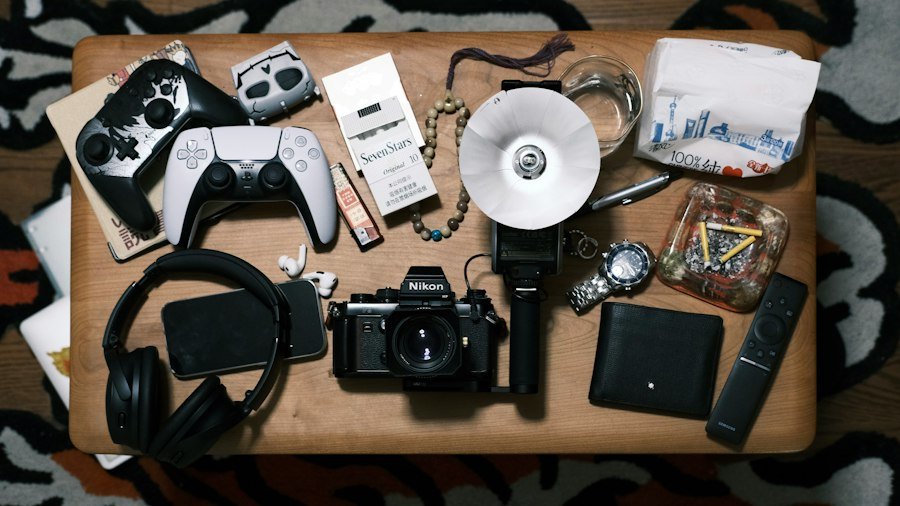
This is where you switch from detective work to hands-on assessment. Even online, there’s a lot you can deduce from the information provided.
Visual Inspection: What to Look For
Even in photos, you can spot certain issues:
- Cracks or Deep Scratches: Not just on the screen, but on the casing, camera lenses, and ports.
- Water Damage Indicators: Many devices have small stickers that change color when exposed to liquid. Sellers might not photograph these, but it’s worth asking if they are visible. Sometimes, water damage manifests as discoloration under the screen or corrosion in ports.
- Missing Screws or Stripped Screw Heads: This can indicate unauthorized repairs or tampering.
- Bent or Damaged Ports: Check USB, headphone, and charging ports. A bent pin can be a nightmare.
- Screen Issues: Look for dead pixels (tiny black or colored dots that don’t change), burn-in (ghost images on OLED screens), or uneven backlighting. Ask for a photo of a pure white or pure black screen to help identify these.
If meeting in person, take your time! Don’t feel rushed.
Functional Testing: Essential Checks
This is crucial, especially for in-person pickups. Bring a small checklist and take your time.
- Power On/Off: Does it boot up quickly and smoothly? Does it shut down without issues?
- Screen Functionality:
- Touch Responsiveness: Test all areas of the screen. Drag an app icon around the entire screen to see if there are any dead spots.
- Brightness/Colors: Are the colors vibrant and even? Is the brightness consistent?
- Dead Pixels/Burn-in: Use a dead pixel tester app (if possible) or display solid colors (white, black, red, green, blue) to check.
- Buttons: Test every physical button (power, volume, home button, camera shutter). Do they feel clicky and responsive?
- Ports:
- Charging Port: Bring your own charger (if possible) and test if it charges.
- Headphone Jack: If applicable, bring headphones and test the audio.
- USB/Data Port: If it’s a laptop, test all USB ports with a flash drive.
- Camera: Take a few photos and videos with both front and rear cameras. Check for focus issues, dust under the lens, or strange artifacts. Test the flash.
- Speakers/Microphone: Play some audio to check the speakers. Make a quick voice memo or test call to check the microphone.
- Connectivity:
- Wi-Fi: Connect to a public Wi-Fi network (if available) or use your phone’s hotspot.
- Bluetooth: Pair with headphones or another device.
- Cellular (for phones/tablets): If buying a phone, bring your SIM card and test making a call, sending a text, and cellular data. Ensure it’s unlocked or compatible with your carrier.
- Battery Health (again): Re-check if possible. For laptops, check the battery report (Windows) or “About This Mac” (macOS).
- Operating System/Software: Ensure it’s the expected version and that there are no weird pop-ups or suspicious software installed. Make sure it’s completely factory reset and free of previous owner accounts.
Checking for Activation Locks and Stolen Devices
This is a non-negotiable step, especially for smartphones and tablets.
- iCloud Activation Lock (Apple devices): If an iPhone, iPad, or Mac is linked to someone’s iCloud account, you won’t be able to use it. The seller MUST remove their account BEFORE you buy it. You can check the activation lock status online using the device’s IMEI or serial number. If they can’t or won’t remove it, walk away immediately.
- Google Factory Reset Protection (Android devices): Similar to iCloud lock, Android devices can be locked to a Google account after a factory reset. The seller should reset the phone from within the settings menu, not just using recovery mode, to ensure the lock is removed. Ask them to factory reset it in front of you.
- IMEI Check: For any cellular device, get the IMEI number (dial *#06# or find it in settings) and run it through an online checker (many free services exist). This can tell you if the phone is reported stolen or blacklisted, or if it’s locked to a specific carrier. Never buy a blacklisted phone – it won’t work on any network.
Secure Payment and Shipping
Even if the item is perfect and the seller is trustworthy, using the wrong payment method can leave you vulnerable.
Safe Payment Methods
- PayPal Goods and Services: This is often the best option for online purchases from private sellers. It offers buyer protection, meaning if the item isn’t as described or doesn’t arrive, PayPal can help you get your money back. There’s usually a small fee, which the seller typically covers. NEVER use PayPal Friends and Family for a transaction with someone you don’t know – it offers no buyer protection.
- Credit Card (via secure platform): If buying on a platform like eBay, paying with a credit card (even through PayPal) adds another layer of protection, as your credit card company might offer chargeback options.
- Escrow Services: For very high-value items, a reputable escrow service can be a good option. Both buyer and seller pay into an independent third party, and the money is only released once the buyer confirms receipt and satisfaction.
- Cash (for local pickups): For in-person transactions, cash is simple. However, it offers zero recourse if there’s an issue after you leave. Inspect the item thoroughly before handing over any money. If you must use a digital payment app for local pickup (like Venmo or Cash App), be aware that these generally offer no buyer protection for goods and services transactions. They’re designed for personal transfers.
Avoiding Scams and Unsafe Payments
- Wire Transfers/Gift Cards: NEVER pay with wire transfers (Western Union, MoneyGram) or gift cards. These are untraceable and irreversible, making them prime tools for scammers. Once the money is sent, it’s gone.
- Unusual Payment Requests: If a seller insists on a strange payment method or asks you to pay outside the platform’s official channels, consider it a major red flag. They might be trying to bypass buyer protection.
- Overpayment Scams: Be wary of sellers who “accidentally” overpay and ask you to refund the difference. This is a common scam where the original payment eventually bounces, and you’re out the refund amount.
Shipping Considerations
- Tracked and Insured Shipping: Always insist on tracked and insured shipping, especially for higher-value items. This protects both you and the seller in case of loss or damage during transit. The cost should usually be borne by the buyer, or included in the price.
- Signature Confirmation: For expensive items, request signature confirmation upon delivery. This prevents package theft and provides proof that you received the item.
- Packing: Ask the seller how they plan to pack the item. Electronics should be well-padded and protected. A photo of the packaged item before shipping can provide peace of mind.
- Return Policy: Understand the seller’s return policy. On platforms like eBay, sellers specify their return terms. For private sales, often there are no returns, so ensure you’re comfortable with that risk.
What to Do If Things Go Wrong
| Metric | Description | Recommended Value/Tip |
|---|---|---|
| Seller Rating | Average rating of the seller based on buyer feedback | 4.5 stars or higher |
| Return Policy Duration | Number of days allowed to return the product after purchase | At least 14 days |
| Warranty Period | Time period during which the product is covered for defects | Minimum 3 months |
| Product Condition | State of the electronic device (e.g., like new, refurbished, used) | Preferably refurbished or like new |
| Payment Method Security | Use of secure payment options to protect buyer | Use escrow or trusted payment gateways |
| Device Verification | Check for device authenticity and functionality before purchase | Request serial number and test reports |
| Shipping Tracking | Availability of shipment tracking information | Tracking number provided |
| Price Comparison | Compare prices with similar listings to avoid scams | Price within 20% of market average |
Even with all precautions, sometimes issues arise. Knowing your options beforehand can save you a lot of stress.
Initiating a Dispute on Online Platforms
If you bought through a platform like eBay or PayPal Goods and Services, use their dispute resolution process immediately.
- eBay Money Back Guarantee: If your item hasn’t arrived or isn’t as described, you can open a case. eBay will investigate and often side with the buyer if you have sufficient evidence (photos of damage, communication logs). Stick to their timelines for opening disputes.
- PayPal Buyer Protection: Similar to eBay, PayPal allows you to dispute transactions. Gather all your evidence (listing description, photos, communication) before opening a claim.
The key is to act quickly and follow the platform’s procedures precisely. Don’t try to resolve it indefinitely with the seller if they are uncooperative; escalate it to the platform.
Contacting Your Bank or Credit Card Company
If you paid with a credit card, you might have the option of a chargeback if the platform’s dispute resolution fails or isn’t applicable (e.g., if you paid directly with a credit card on a non-protected site). Contact your bank or credit card company to understand their chargeback policies and procedures. This is often a last resort, as it can be a lengthy process.
Reporting Scammers
If you suspect you’ve been scammed, report the seller to the platform you used. This helps protect other potential buyers. If it involved illegal activity (like buying stolen goods unknowingly, or significant financial fraud), you might also consider reporting it to law enforcement, although for smaller sums or minor disagreements, this might not be practical. Keep all records of communication, transactions, and proof of the issue.
Learning from the Experience
Unfortunately, sometimes you might get burned. It happens. The best thing you can do is learn from the experience.
- Review your checklist: What steps did you miss or overlook?
- Re-evaluate your risk tolerance: Was the deal worth the risk?
- Adjust your approach: Next time, will you stick to more reputable sellers, ask more questions, or inspect more thoroughly?
Buying used electronics online can be a fantastic way to get great tech at a fraction of the cost. By following these practical tips and maintaining a healthy dose of skepticism, you can minimize your risks and enjoy your new-to-you gadget with peace of mind. Happy hunting!